
- Tools
- Resources
Tanning Salon Software: Manage Memberships & UV Compliance
Find the right tanning salon software to handle memberships, UV compliance tracking, T-Max timer workflows, and Federal Excise Tax reporting—all while keeping your front desk moving fast.
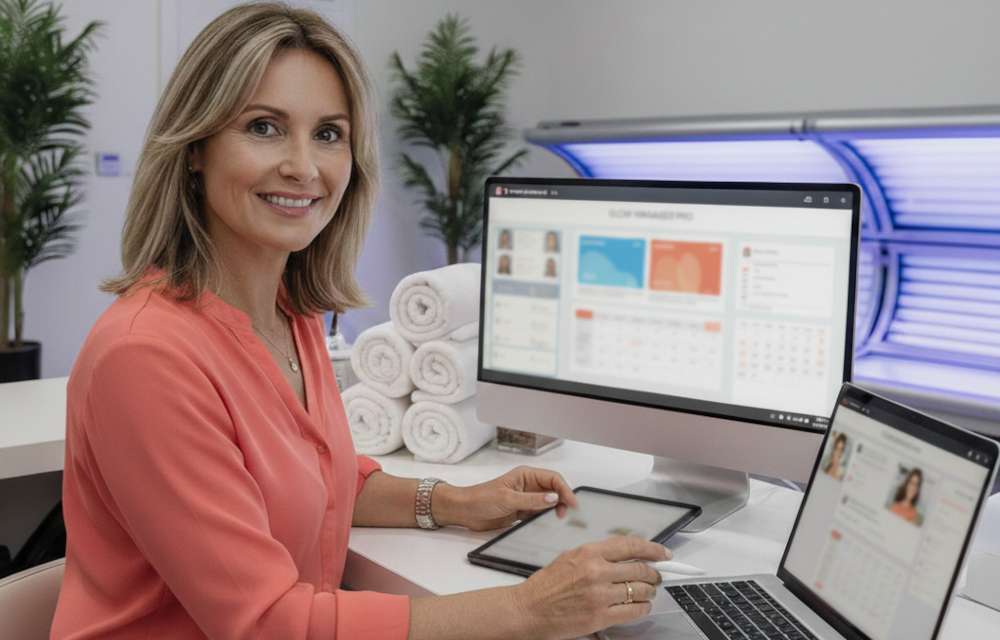
What is tanning salon software?
Tanning salon software is purpose-built point-of-sale and operations software that helps manage walk-in check-ins, bed/room availability, memberships (including EFT billing), and tanning-specific compliance workflows.
Running a tanning salon is its own operating model: fast walk-ins, bed availability, membership billing, and a tighter compliance environment than many appointment-based businesses. The right tanning salon software helps you manage those moving parts in one place—especially bed control workflows, customer profiles, and recurring payments.
In this guide:
- Why "Generic" Salon Software Fails Tanning Businesses
- Checklist: How to Choose Tanning Salon Management Software
- Questions to Ask During a Software Demo
- The Compliance Engine: UV Exposure and Age Verification
- Hardware Integration: Connecting Software to Tanning Beds
- Mastering the Membership Model (EFTs)
- Inventory Management: Lotions, Bronzers, and Eyewear
- Driving Traffic to Empty Beds with Groupon
TL;DR- The best tanning salon management software should handle:
- Real-time bed/room availability and quick check-ins
- Memberships and EFT billing with declined-payment workflows
- Support for indoor tanning excise tax ("Tan Tax") tracking and reporting prep
- Customer profile controls (e.g., skin type notes, consent/ID prompts)
- Hardware workflows (e.g., T-Max timer processes) and retail inventory
Below is a practical breakdown of what to look for—and how to use Groupon strategically to fill low-demand hours without overwhelming peak time.
Why "Generic" Salon Software Fails Tanning Businesses
Walk into a hair salon, and you'll see appointment books filled with names, time slots, and stylist assignments. Walk into a tanning salon, and you'll see a line at the front desk, clients swiping membership cards, and a digital board showing which beds are available. These are fundamentally different operations.
Equipment vs. Staff
Hair salons book people—you need to know which stylist is available at 2 p.m. for a color treatment. Tanning salons book rooms and beds—you need to know which Level 3 bed is open right now for a walk-in with an unlimited membership. Generic salon software treats every service like a 60-minute appointment with a staff member attached. But your front desk needs to see bed availability in real time, not a stylist's weekly schedule.
Walk-in Culture
Tanning salons thrive on high-volume walk-in traffic. A customer walks in, swipes their membership card, gets assigned an available bed, and they're out in 15 minutes. Hair salons operate on pre-scheduled appointments that last 45 minutes to two hours. Generic booking calendars simply can't keep up with the speed of tanning salon check-ins. You need software that can process a walk-in transaction, verify membership status, assign the next available bed, and start the correct timer workflow—fast enough to keep lines moving during peak traffic. Otherwise, your lobby turns into a bottleneck, and frustrated customers walk out.
The right tanning bed software is built for this reality. It prioritizes speed, real-time bed availability, and seamless membership verification over appointment reminders and stylist commissions.
Comparison: Generic Salon POS vs. Tanning Salon Software
|
Feature
|
Generic Salon POS
|
Tanning Salon Software
|
|---|---|---|
|
Primary booking unit
|
Staff member + time slot
|
Bed/room + real-time availability
|
|
Check-in speed
|
Designed for appointments (slower)
|
Optimized for walk-ins (seconds)
|
|
Membership billing
|
Basic or add-on only
|
EFT autopay + decline management built-in
|
|
UV compliance tracking
|
Not included
|
Skin type notes, session limits, age prompts
|
|
Equipment control
|
Manual or none
|
Timer workflows (e.g., T-Max processes)
|
|
Federal Excise Tax
|
Manual calculation
|
Automatic Tan Tax tracking + reports
|
Checklist: How to Choose Tanning Salon Management Software
Before evaluating specific platforms, use this checklist to ensure the software meets your operational needs:
- Bed management: Real-time availability + quick assignment for walk-ins
- Timer workflow: Supports your timer setup (e.g., T-Max process)
- Client profiles: Skin type notes, exposure history fields, signed forms storage
- Age/consent prompts: Configurable by location rules
- EFT billing: Autopay schedules, proration, upgrades/downgrades
- Decline management: Retries, notifications, automatic access suspension rules
- Tax support: Tan Tax tracking + exportable reports for quarterly filing
- Retail inventory: SKU-level counts, reorder alerts, vendor reporting
- Staff controls: Permissions, audit logs, commission tracking
- Reporting: Membership churn, bed utilization, retail attach rate
- Multi-location: Centralized reporting + location-level rules (if needed)
- Data portability: Exports, backups, and support responsiveness
Must-Have vs. Nice-to-Have Features
|
Must-Have Features
|
Nice-to-Have Features
|
|---|---|
|
Real-time bed availability
|
Customer mobile app
|
|
EFT membership billing
|
Email marketing integration
|
|
Client profile with skin type
|
SMS appointment reminders
|
|
Timer hardware workflows
|
Gift card programs
|
|
Tan Tax calculation support
|
Advanced analytics dashboard
|
|
Retail inventory tracking
|
Multi-currency support
|
Questions to Ask During a Software Demo
When evaluating tanning salon software, ask vendors these questions to confirm the system matches your needs:
- Compliance: Does the system track Fitzpatrick skin types and flag session limits for new clients?
- Tax reporting: How does the software handle the 10% Federal Excise Tax—can it separate it from sales tax and generate quarterly reports?
- Timer integration: Does it support our existing T-Max timer setup, or will we need new hardware?
- EFT billing: What happens when a membership payment declines—how many retry attempts, and can access be auto-suspended?
- Age verification: Can the system prompt staff for ID checks based on client birthdate or location-specific rules?
- Retail tracking: Does inventory track at the SKU level (sample packets vs. full bottles)?
- Staff permissions: Can we control which employees can issue refunds, override prices, or view sales reports?
- Audit logs: Does the system maintain a record of who redeemed vouchers, processed transactions, and edited campaigns?
- Data exports: Can we export customer lists, transaction history, and tax reports for our accountant?
- Support: What are your support hours, and how quickly do you typically respond to urgent issues?
The Compliance Engine: UV Exposure and Age Verification
Indoor tanning is tightly regulated, and requirements can vary by state and locality. The right system won't replace legal advice, but it can help you stay organized, follow consistent front-desk workflows, and reduce avoidable errors. Here's how specialized software for tanning salons supports your compliance workflows.
Liability Protection: Skin Type Tracking
Not all clients can safely tan for the same amount of time. A first-time client with fair skin (Fitzpatrick Type I) shouldn't be using the same session length as a repeat client with darker skin (Fitzpatrick Type IV)1. Specialized tanning salon software tracks each client's skin type and can help limit session times for new clients. This supports your efforts to follow FDA-recommended exposure guidelines2 and can help reduce liability. If a client tries to book a longer session than their skin type profile suggests, the system can flag it for staff review—an extra layer of protection for both the customer and your business.
Age Gating: ID + Consent Workflows (Based on Your Local Rules)
Age restrictions for indoor tanning vary by state (and can change), so your front desk needs a consistent process for ID checks and any required consent forms. Look for software that can:
- Prompt staff to verify ID at check-in for new clients or flagged age ranges
- Store date-of-birth and consent documentation (where permitted)
- Restrict certain services based on the rules you set for your location(s)
Tip: Add a short "Compliance settings" SOP so every employee follows the same workflow—especially during busy walk-in rushes.
The "Tan Tax": Federal Excise Tax Automation
Here's the compliance issue most tanning salon owners face: the Federal Excise Tax. Since 2010, the IRS has required a 10% excise tax on all indoor tanning services3. This tax must be calculated, collected, and reported quarterly4—and manual tracking increases the risk of errors that can lead to penalties.
Generic POS systems don't have built-in Tan Tax reporting. You're left manually calculating the tax, hoping your math is right, and scrambling at tax time to pull reports. Specialized tanning salon management software can automatically apply the 10% excise tax to qualifying services, separate it from sales tax, and generate organized reports your accountant can use for quarterly filings. That won't eliminate compliance responsibilities, but it can significantly reduce manual errors and last-minute scrambling.
Hardware Integration: Connecting Software to Tanning Beds
This is where tanning salon software earns its value: direct integration with your tanning bed hardware. A common integration is with T-Max timers, an industry-standard control system that powers and times UV beds5.
T-Max Integration: Automated Bed Control
When a customer checks in and pays for a session, your tanning bed software should communicate directly with the T-Max timer to activate the bed for the purchased session length. No manual entry. No walking to the equipment room to flip switches. The software sends the command, the bed powers on, and the timer counts down automatically.
This integration eliminates human error. Your front desk staff can't accidentally set a 20-minute session when the customer only paid for 10 minutes. The system enforces what was purchased, every single time.
Theft Prevention: Transaction-Required Activation
Here's a problem every tanning salon owner has dealt with: staff letting friends or family tan for free. With T-Max integration, the bed won't power on unless there's a valid transaction in the system. No transaction, no tan. This simple safeguard helps prevent unauthorized use, protects your revenue, and keeps your staff accountable. If someone's tanning, there's a record of it—and a payment attached.
Mastering the Membership Model (EFTs)
Tanning salons are membership businesses. Unlike spas where customers buy occasional services, your core revenue comes from monthly unlimited memberships processed via Electronic Funds Transfer (EFT). Your software needs to handle this seamlessly—or your cash flow suffers.
Recurring Revenue: The Lifeblood of Tanning Salons
Most tanning salons operate on a membership model: customers pay a fixed monthly fee for unlimited tanning (or a set number of sessions). These memberships renew automatically via credit card or bank account withdrawal. Your tanning salon management software should automate the entire billing cycle—charging accounts on the scheduled date, updating membership status, and tracking payment history.
Dunning Management: Handling Declined Payments
Credit cards expire. Bank accounts close. Payments decline. When a membership payment fails, your software should automatically retry the transaction (typically after 3-7 days) and send the customer an email or text notification to update their payment method. If the payment continues to fail, the system should suspend the customer's access at the check-in gate until they resolve the issue. This protects your revenue without requiring your staff to have awkward conversations at the front desk.
Freezing Accounts: Seasonal Flexibility
Tanning is seasonal. When summer hits and everyone's getting natural sun, memberships drop. Instead of losing those customers entirely, savvy tanning salons offer "membership freezes"—the customer pauses their monthly billing for 1-3 months without canceling. Your software should track frozen accounts, automatically resume billing on the scheduled restart date, and maintain the customer's membership history. This flexibility keeps customers in your ecosystem and makes it easy for them to return when the weather changes.
Inventory Management: Lotions, Bronzers, and Eyewear
Tanning salons aren't just selling sessions—they're selling high-margin retail products. Tanning lotions, bronzers, eyewear, and aftercare products can account for a significant portion of your revenue. Your software for tanning salons should manage this inventory and track which staff members are driving those sales.
High-Margin Retail: Sample Packets vs. Full Bottles
Tanning lotions come in multiple sizes: single-use sample packets, travel-size bottles, and full-size bottles. Each has different pricing, different inventory turnover, and different profit margins. Your software should track inventory at the SKU level so you know when to reorder and which products are moving fastest. If you're constantly running out of sample packets but have a shelf full of expensive bottles, your inventory reports will tell you to adjust your ordering.
Commission Tracking: Incentivizing Upsells
Front desk staff should be incentivized to upsell lotions, and your software should track who's making those sales. If Sarah consistently sells three bottles a shift and Michael sells zero, you know who needs additional training—and who deserves a bonus. Commission tracking keeps your team motivated and ensures retail doesn't become an afterthought.
Driving Traffic to Empty Beds with Groupon
Even the best tanning salon software can't fill beds on its own—you need a customer acquisition strategy. That's where you can strategically use Groupon to grow your salon's revenue and client base. By offering time-limited deals to local shoppers, you can fill empty beds during off-peak hours and convert one-time visitors into long-term members.
The "Off-Peak" Strategy: Fill Morning and Mid-Day Slots
Your beds are likely packed between 5 p.m. and 8 p.m., but what about 10 a.m. on a Tuesday? By running a Groupon campaign targeted at off-peak hours, you can drive traffic when you need it most—without cannibalizing your prime-time revenue. Make your campaign bookable to manage availability during your most accessible hours, and seamlessly integrate with other booking systems.
Conversion: From Groupon Visitor to EFT Member
Here's the real value of Groupon: acquisition, not just transactions. When a Groupon customer walks through your door, they're trying your salon for the first time. Your goal is to convert them into a monthly member before they leave. Train your front desk team to offer a membership upgrade at check-in: "You paid $25 for three sessions with your Groupon, but our unlimited membership is only $49/month. Want to upgrade today and tan as much as you like?" Your software should make this conversion seamless—adding the membership, processing the first EFT payment, and scheduling future billing automatically.
Redemption Speed: Keep Check-In Moving
Groupon offers a few practical redemption methods for merchants, including scanning with the free Groupon Merchant app, manual code entry in Merchant Center, and automatic check-in if you use Groupon's booking solutions. Whatever method you use, the goal is the same: validate status before service, redeem at the right moment, and keep your front desk moving.
Conclusion
The right tanning salon software isn't just a calendar or a cash register—it's a compliance assistant, a membership manager, and a revenue protector all in one. It helps you track Tan Tax calculations for organized quarterly reporting. It integrates with T-Max timers to reduce theft and human error. It manages EFT memberships, handles declined payments, and tracks high-margin retail sales. And it can seamlessly redeem Groupon vouchers to turn first-time visitors into loyal monthly members.
Generic software wasn't built for your business. But specialized tanning bed software was—and it can be the difference between running a profitable, well-organized salon and constantly putting out fires.
Looking to fill more beds and grow your membership base? Partner with Groupon to reach new customers with a pay-for-performance approach—no upfront advertising costs, and you pay a marketing fee after a customer redeems.
Sources:
- https://www.ncbi.nlm.nih.gov/books/NBK481857/table/chapter6.t1/
- https://www.fda.gov/radiation-emitting-products/tanning/your-skin
- https://www.irs.gov/businesses/small-businesses-self-employed/indoor-tanning-services-tax-center
- https://www.irs.gov/businesses/small-businesses-self-employed/excise-tax-on-indoor-tanning-services-frequently-asked-questions
- https://tmaxtimers.com/docs/third-party-software/
Join the 1 million+ merchants who've worked with Groupon:
Related Reads


Subscribe for Updates
© 2022 - 2026 Groupon, Inc. All Rights Reserved. GROUPON is a registered trademark of Groupon, Inc.