How to Spot Fake Coupons and Avoid Scams in 2026
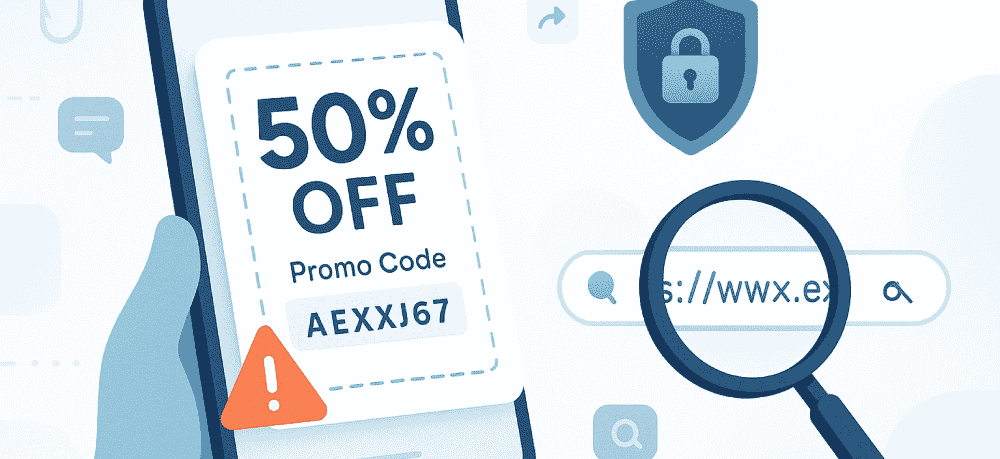
Love a good deal? Same here. The problem is scammers love coupons too — because they know a “huge discount” can make anyone click first and think later.
The good news: once you know what to look for, fake coupons get a lot easier to spot. You’ll save time, protect your data, and stick with verified offers on trusted platforms like Groupon Coupons, where deals are checked for authenticity.
According to the FTC, consumers in the United States reported losing $12.5 billion to fraud in 2024 — the highest reported losses the FTC has ever recorded.
Jump to what you need
Why fake coupons spread so fast
Fake coupons aren’t just annoying — they’re a common scam format because they’re easy to share and hard to fact-check in the moment. Scammers use the same playbook again and again.
They’re built to go viral
Scammers create look-alike brand pages and polished graphics, then post an eye-popping “limited-time” discount with a link. The hook is simple: they push you to share, comment, or tag friends so the post spreads through real people’s feeds.
If you have to “engage to unlock” a deal, treat it like a red flag — not a shortcut.
They’re usually after your data
The “coupon” is often just bait to collect emails, phone numbers, birthdays, logins, or payment details. That info can be used for phishing, account takeovers, or sold to other scammers.
Red flags that usually mean a coupon is fake
If you only remember one thing, make it this: real coupons come with real details (source, terms, and a normal checkout flow). Fake coupons usually don’t.
| Red flag | What it often means | What to do instead |
|---|---|---|
| “Too good to be true” discounts Example: 70% off everything |
Bait designed to override your caution | Compare with typical promos on the retailer site or a verified coupon platform |
| Shortened or weird links bit.ly, misspellings, extra words |
You’re being routed to a non-official page | Don’t click — go to the official site directly and search for the offer |
| No fine print No expiry date, exclusions, limits |
Fake offers often skip specifics | Look for clear terms and conditions before you use any code |
| Pressure to act fast or share “Only 10 minutes left” or “share to unlock” |
Artificial urgency + viral spread tactics | Pause, verify the source, and ignore engagement requirements |
| It asks you to pay or “complete a survey” | You’re being funneled into a scam or data-harvesting flow | Back out and find a verified code from a trusted source |
How to verify a coupon in under a minute
You don’t need to be a cybersecurity expert. A few quick checks can save you a lot of regret.
Start with trusted sources
If you want verified savings without the guesswork, start with Groupon Coupons. Offers are checked for authenticity, and you can compare codes from popular brands in one place — including Sephora, Best Buy, Adidas, and Macy’s.
If you’re checking a deal from a brand channel, stick to the official site or app and confirm you can see normal terms (expiry date, exclusions, and usage limits).
You can also review current scam patterns through the FTC’s consumer guidance and the Coupon Information Center.
Check the link before you click
Look for the official retailer domain (spelled correctly) and a secure connection (https). If anything feels off, skip the link and navigate to the retailer site manually.
Don’t trade personal info for a discount
An email for a newsletter signup is common. But a “coupon” that asks for sensitive personal info (or payment details just to “unlock” savings) isn’t a coupon — it’s a funnel.
Make sure the terms look real
Legit promos from major retailers — like Booking.com, eBay, or Amazon — almost always include clear terms. If you see “never expires” or “unlimited use,” double-check the source.
What to do if you already clicked a fake coupon
If you clicked a suspicious link or shared info, don’t panic. Focus on a few practical steps that limit damage.
Do this first
- Close the page and don’t submit anything else.
- Change your passwords for any account you entered (and anywhere you reused that password).
- Turn on two-factor authentication for your email and key shopping accounts.
- Run a security scan on your device if you downloaded anything.
If you shared payment details
- Contact your bank or card issuer right away and ask about monitoring, charge disputes, or a replacement card.
- Watch for small “test” charges that can signal stolen card info.
Report it so it gets taken down
- Report the post/account to the social platform.
- Let the impersonated brand know (many have fraud reporting pages).
- Report to the FTC at ReportFraud.ftc.gov.
FAQs
What should I do if I clicked a fake coupon link?
Close the tab, don’t submit info, run a security scan if you downloaded anything, change relevant passwords, and monitor your accounts. If you shared payment details, contact your bank or card issuer.
How do I know if a promo code is legit?
Check the source (official retailer site/app or a verified platform like Groupon Coupons), confirm clear terms, and avoid any code that requires unusual personal info or social sharing.
Can you trust online coupons?
Yes — when they come from official brand channels or established coupon platforms that verify offers and remove fakes promptly.
Why are there so many fake discount codes?
Because fake coupons are an easy way to harvest data at scale, and social sharing helps them spread quickly while looking credible.
Your quick coupon safety checklist
Run through these before you click:
- Realistic discounts (extra caution with huge sitewide claims)
- Visible expiration date plus clear terms and exclusions
- Verified source or the brand’s official domain
- Secure https URL and no suspicious misspellings
- No personal or payment info required just to get the “coupon”
- No share-to-unlock rules or countdown pressure
Find real deals without the risk
Ready to save safely? Head to Groupon Coupons for verified, updated offers — so you can shop smarter and skip the scammy stuff.
Read More
Related Deals